
Live coaching.
In your car.
Kerbz Laps times every lap and talks you through the next one. On the straight before a turn where you’ve been quicker, it tells you what you did there on your best lap. Every lap you drive, its tips get sharper.
Coaching from your own best laps
Works with CarPlay and Android Auto
Free to download
A coach in your ear, every lap
It coaches from your own laps, so every tip is something you’ve already done, and never more than your best.
Before the turn
On the straight before a turn where your best was quicker, it tells you what you did there, like braking 40 feet later. It finishes before you turn in.
After it
A word when you match or beat your best through a turn, and when you set a new best lap.
Three turns each lap
The 3 turns with the most time in them, one tip at each, every lap until you match your best there. Then it moves on to the next.
The more you drive, the better it coaches
Every lap adds to what it knows about each turn: your best run there and your usual. More laps, sharper tips.
It learns the track
Every lap is timed and kept turn by turn. Until it has three laps and three good runs through a turn, it gives no tips there.
It finds your time
Where your best run through a turn was clearly quicker than your usual, it coaches you to do it again, every lap until you do.
It keeps up with you
Match your best through a turn and it moves on to the next. Each session starts from your best and latest sessions at that track, so every track day builds on the last.
Only real gains
A gain is only called when it’s bigger than the GPS’s own noise, so a tip is never a fluke. Every turn is coached against your own runs, in this car and these conditions.
Sharper with a RaceBox
Pair a RaceBox Mini, Mini S or Micro: 25 readings a second, to a metre or better, so the coach can call smaller gains.
Works with CarPlay and Android Auto
Kerbz Laps shows up on your car’s screen. Press Play on the car to start a session and Stop to end it, and hear the coach and your lap times through the car’s speakers.
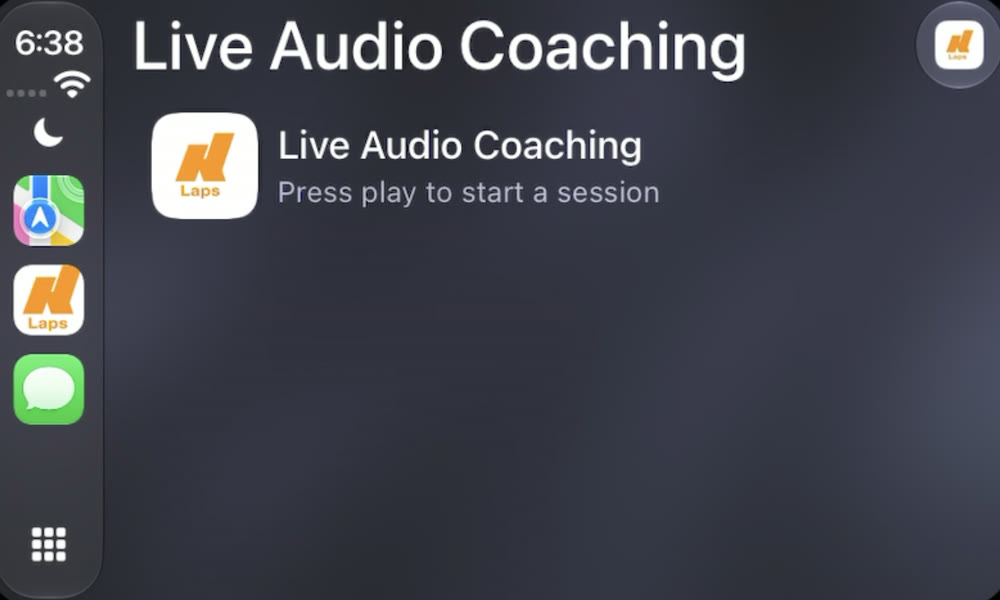
Apple CarPlay
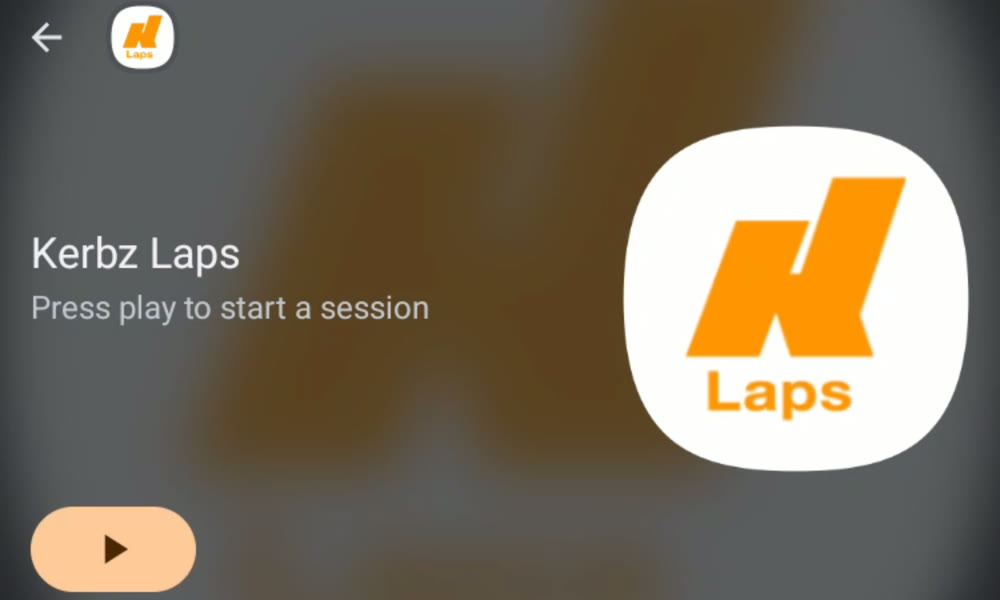
Android Auto
Race your friends
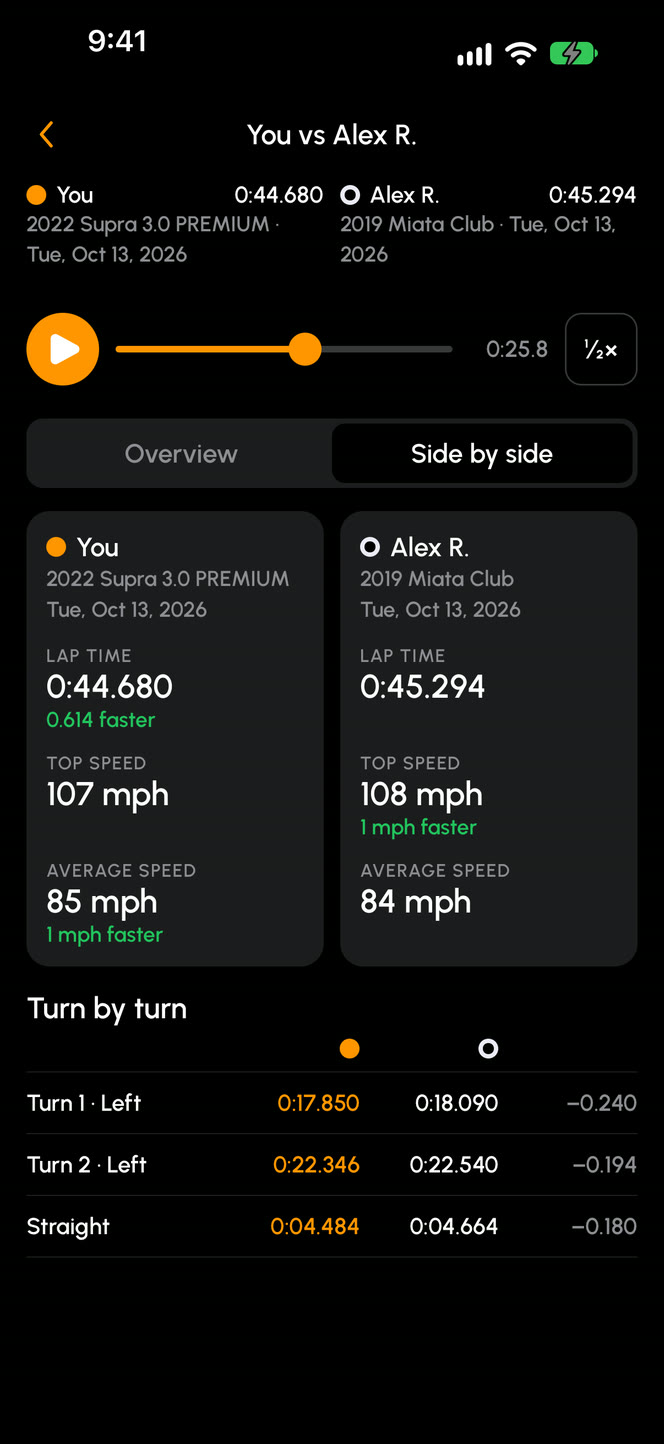
Put one of your laps against a friend’s from the same track and layout, in the Kerbz app or on kerbz.app, and see exactly where the time is between you.
Two laps, one clock
Their videos play side by side from the line. Scrub through, or slow it to half speed.
Who’s ahead, turn by turn
Two dots race round the track map with the gap between you, and each turn’s time shows who was quicker through it.
Where you stand
See your best lap on the track’s leaderboard, and watch the head-to-heads Kerbz features there.
Your laps, your call
Friends compare with the sessions you put on a leaderboard. You can let them compare with every lap in your privacy settings.
Eyes on the track, not a stopwatch
Mount your device, drive off and leave it alone. Kerbz Laps times every lap from the GPS, where you crossed the line.
Green ahead, red behind
A live gap to your best lap at this track, in this car, with your predicted lap time. The screen fills green when you’re ahead and red when you’re behind.
Every lap time, out loud
Read out through your device or your car’s speakers. A new best lap lights up the screen.
Timing starts at the line
No buttons to press. On your out lap it counts down the distance to start/finish, and it asks to stop when you pull in.
See where the time is
Every session is kept, turn by turn, so you know what to work on next time out.
Your optimal lap
Your best through each part of the track, added up, beside your best and average lap, your top speed and how consistent you were.
Where the time is
The turns with the most to gain, what your best lap did differently there, and which ones your voice coach works on next time.
Brake, turn in, power
Where you braked, turned in, apexed and got back on the power, against your average or any lap.
Your grip, with a RaceBox
Each lap shows how hard you braked, cornered and accelerated.
Film every lap
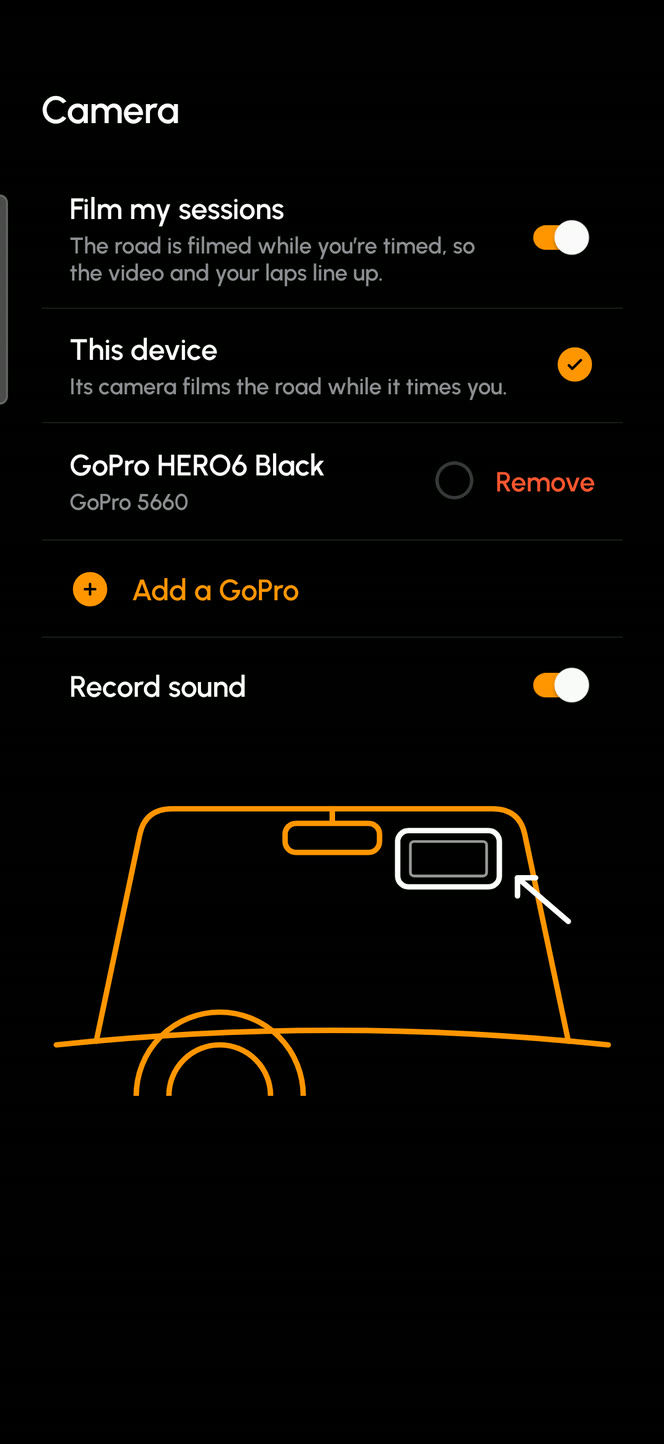
This device’s camera or a GoPro films the road while you’re timed. Watch it back with your lap times over the video, and two laps side by side.
This device, or a GoPro it starts and stops for you
Your lap data laid over the video
Two laps through a turn, side by side
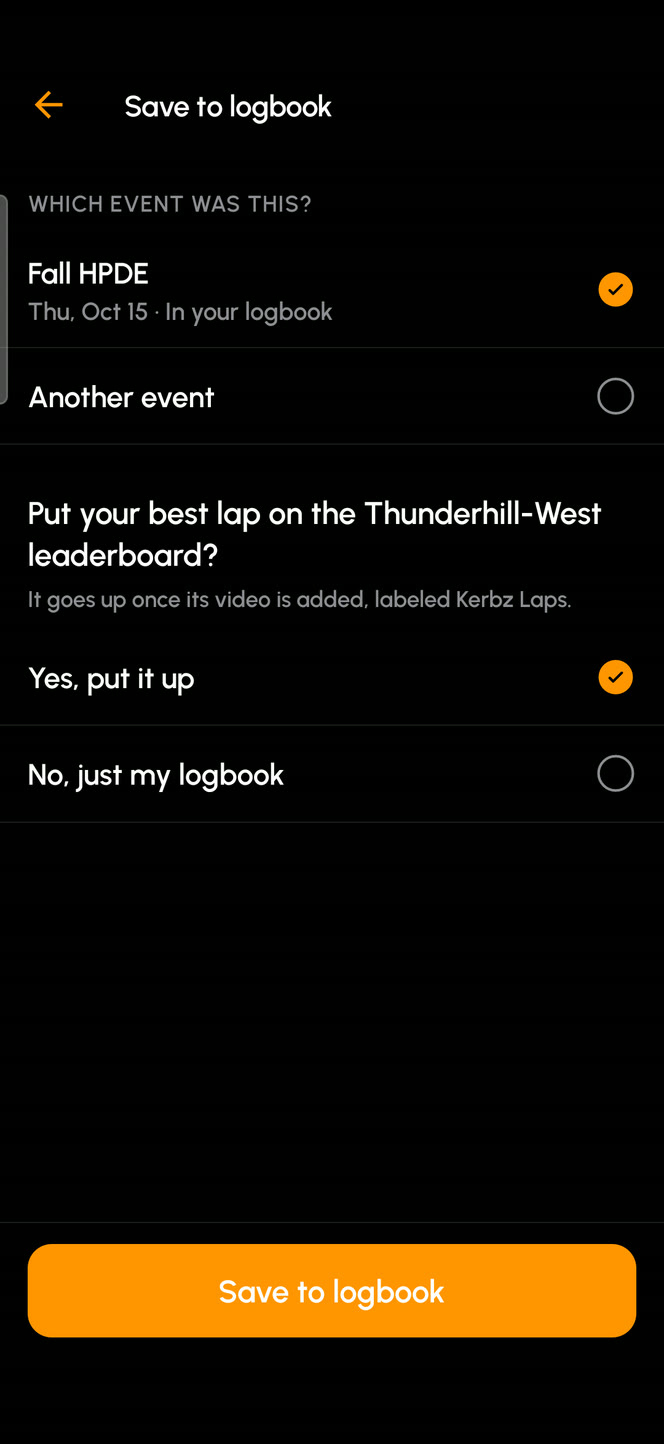
Straight to your logbook
Save each session with the event, who ran it and your car from your Kerbz garage. Registered for the event on Kerbz? The day is already in your logbook.
Put your best lap on the track’s leaderboard as you save it. It goes up once its video is added.
Look back at any session on kerbz.app or in the Kerbz app.
Free to time, free to coach
Every lap you drive and everything Kerbz Laps works out from it is yours, free. Video is where session tokens come in.
Free
Lap timing, the live gap and spoken lap times
Voice coaching, with a free Kerbz account
Every session’s review, turn by turn
Every session’s laps and data in your logbook
Video
One session each day you drive goes up whole, video and all, free. You pick which
Any other session goes up whole for 1 session token
A lap goes on the leaderboard once its session’s video is up
Ready in seconds
Pick your track and car
Kerbz’s tracks come with the start/finish line set for each layout, and your cars come from your Kerbz garage.
Mount your device
Sideways on the windshield, behind the mirror, so its camera films the road. Mount it firmly.
Drive
Timing starts at the line, and the coach starts once it knows your laps. When you pull in, save the session to your logbook.
Questions
What is Kerbz Laps?
A GPS lap timer for track days, from Kerbz, that coaches you out loud. It times every lap from the start/finish line, shows a live gap to your best lap and reads out your lap times. Before a turn where you've been quicker, it tells you what you did there on your best lap. After the session you get a turn-by-turn review, and the session goes to your Kerbz logbook.
How does the voice coaching work?
It learns each turn from your own laps: your best run through it and your usual. Once it has three laps and three good runs through a turn, it works on the three turns with the most time in them, one tip at each every lap. On the straight before each, it tells you what you did there on your best lap, every lap until you match it. It only calls gains bigger than the GPS's own noise and never asks for more than your best. The more laps you drive, the sharper it gets.
Does it work with CarPlay and Android Auto?
Yes. Kerbz Laps shows up on your car's screen: press Play on the car to start a session and Stop to end it, and you hear the coach and your lap times through the car's speakers.
Can I compare laps with my friends?
Yes, in the Kerbz app or on kerbz.app. Pick a lap you saved from Kerbz Laps and a friend's at the same track and layout, and watch them on one clock: both videos, who's ahead and by how much, and each turn's time. Friends compare with the sessions you put on a leaderboard, or with every lap if you let them in your privacy settings.
What do I need?
A device with built-in GPS, mounted firmly in the car. A RaceBox (Mini, Mini S or Micro) is optional: it reads up to 25 times a second and adds each lap's grip to its review.
Does it need a signal at the track?
No. Tracks and your cars are kept on your device, and your sessions upload to your logbook when you're back online.
Do I need a Kerbz account?
Timing works without one. A free Kerbz account adds voice coaching, the cars in your Kerbz garage, your logbook and the leaderboards.
What does it cost?
Timing, coaching, every session's review and saving its laps and data to your logbook are free. For video, one session each day you drive goes up whole, video and all, for free, and you pick which. Any other session goes up whole for 1 session token.
Which tracks does it know?
Kerbz's tracks, each layout with its own start/finish line. If yours isn't listed, contact us and we'll look at adding it.
Can I use it on the road?
No. Kerbz Laps is for closed race tracks only. Never use it on public roads, set everything up before you drive, and don't touch your device while the car is moving.
Something else? Contact us
Your coach for the next track day
Get Kerbz Laps, pick your track and drive. Every lap makes its coaching sharper, and every session ends up in your Kerbz logbook.
Kerbz Laps is for closed race tracks only. Never use it on public roads. Set everything up before you drive, mount your device firmly, and don’t touch it while the car is moving.